Top 5 Best Laptops for University Students Under $800
Entering university in 2026 requires more than just a notebook and a pen; it requires a reliable, fast, and portable digital workstation. However, with the rising costs of tuition and housing, many students find themselves needing a device that delivers premium performance without a premium price tag. The good news is that the laptop market has matured significantly, and the sub-$800 category is now more competitive than ever, offering features that were once reserved for flagship machines.

Our picks at a glance5 products





In 2026, a university laptop needs to do more than just browse the web. It must handle multi-tab research, video conferencing, AI-assisted productivity tools, and occasional creative work, all while surviving a full day of lectures on a single charge. Whether you are a STEM major running simulations, an arts student writing lengthy essays, or a business major working through complex spreadsheets, there is a perfect balance of power and price waiting for you.
This guide explores the top five laptops currently available for under $800, specifically selected for their durability, battery life, and processing power to ensure they last through your entire degree.
Apple MacBook Air (M2 Chip)

Despite the release of newer iterations, the MacBook Air with the M2 chip remains the gold standard for university students in 2026. Now frequently retailing under the $800 mark through student discounts and seasonal sales, this machine offers a level of build quality and ecosystem integration that is difficult to beat. The fanless design ensures that the laptop remains completely silent during quiet library sessions or intense exams, which is a major benefit for many users.
The M2 chip, while no longer the flagship, still provides more than enough power for the average student. Its Unified Memory architecture allows for seamless multitasking, while the 10-core GPU can handle light video editing and graphic design with ease. One of the standout features of the MacBook Air is its Liquid Retina display, which offers 500 nits of brightness. This makes it one of the few laptops in this price range that is truly comfortable to use outdoors or in brightly lit lecture halls.
Battery life remains a highlight, with most students easily achieving 15 to 18 hours of real-world use. For a university student moving from class to class, the ability to leave the charger at home is a significant quality-of-life improvement. Additionally, the macOS ecosystem provides access to high-quality built-in software like Pages, Numbers, and Keynote, which are excellent tools for academic success.
Acer Swift Go 14 (2026 Edition)

The 2026 Acer Swift Go 14 is a powerhouse designed specifically for students who prioritize screen quality and connectivity. It is one of the most affordable laptops to feature a high-refresh-rate OLED display in this price bracket. The 2.8K resolution and 120Hz refresh rate provide a fluid visual experience that makes reading long digital textbooks and watching educational videos much easier on the eyes.
Under the hood, the Swift Go 14 is powered by the latest Intel Core Ultra processors, which include a dedicated NPU (Neural Processing Unit). In the 2026 academic environment, this NPU is essential for running AI-driven study aids, real-time transcription, and advanced background noise cancellation during online seminars. The laptop also comes standard with 16GB of LPDDR5X RAM, ensuring that Windows 11 runs smoothly even with dozens of Chrome tabs open.
Acer has also prioritized port selection, which is often a pain point for students. The Swift Go 14 includes two USB-C ports with Thunderbolt 4 support, HDMI 2.1, and a microSD card slot. This means you won't need to carry around a bag full of dongles to connect to a projector for a presentation or to transfer files from a camera. Its lightweight aluminum chassis weighs just under 3 pounds, making it one of the most portable 14-inch laptops on the market today.
Lenovo IdeaPad Slim 5

Lenovo has a long-standing reputation for creating reliable "workhorse" laptops, and the IdeaPad Slim 5 continues this tradition for 2026. This laptop is often the go-to recommendation for students who want a durable machine that offers the best keyboard experience in its class. Lenovo’s keyboard ergonomics are legendary, providing a tactile and comfortable typing experience that is vital for writing 3,000-word term papers.
The IdeaPad Slim 5 is typically configured with AMD Ryzen 7000 or 8000 series processors, which are known for their exceptional thermal management and multi-threaded performance. This makes it an ideal choice for STEM students who may need to run coding environments or data analysis software. The 16:10 aspect ratio on the display provides more vertical screen real estate, allowing you to see more of your document or code without excessive scrolling.
Durability is another key selling point. The Slim 5 is tested against MIL-STD-810H military-grade standards, meaning it can withstand the bumps and drops that inevitably happen in a crowded backpack. With a sleek, professional aesthetic and a reliable privacy shutter on the webcam, it is a well-rounded device that feels far more expensive than its sub-$800 price tag suggests.
ASUS Vivobook S 15

For students who prefer a larger screen for multitasking without the bulk of a traditional gaming laptop, the ASUS Vivobook S 15 is an outstanding choice. The 15.6-inch display offers ample room for split-screen multitasking—perfect for having a research paper open on one side and your notes on the other. Despite the larger screen, ASUS has managed to keep the profile slim and the weight manageable for daily commutes.
One of the unique features of the 2026 Vivobook S series is the inclusion of ASUS Antibacterial Guard, a silver-ion coating that inhibits the growth of bacteria on frequently touched surfaces. In a university setting where laptops are used in public cafes and shared desks, this is a thoughtful addition. The laptop also features an impressively large touchpad and a full-sized keyboard with a numeric keypad, which is a massive advantage for accounting, mathematics, or data science students.
Performance-wise, the Vivobook S 15 balances efficiency and power. It utilizes high-capacity batteries that support fast charging, reaching 60% in just 49 minutes. This is a lifesaver for students who realize their battery is low just minutes before their next lecture. The Harman Kardon-certified audio system also makes it a great entertainment device for streaming movies in a dorm room after a long day of studying.
Dell Inspiron 14 2-in-1
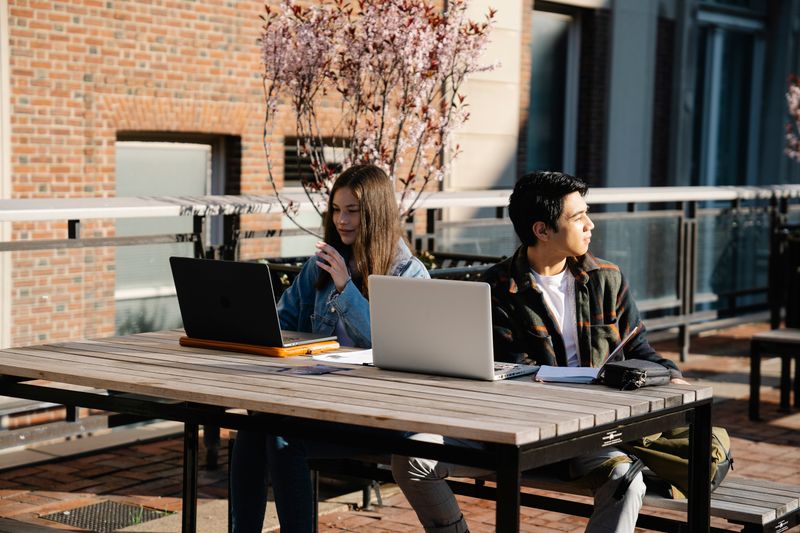
The Dell Inspiron 14 2-in-1 is the most versatile entry on this list, catering to students who want the functionality of both a laptop and a tablet. Its 360-degree hinge allows the device to be used in "tent mode" for watching lectures, "tablet mode" for handwritten notes with a stylus, or "laptop mode" for traditional typing. For students in creative fields or those who prefer sketching out diagrams and mind maps, this versatility is invaluable.
Dell has focused heavily on sustainable materials for the 2026 Inspiron line, using recycled plastics and low-carbon aluminum, which appeals to the environmentally conscious student body. The touch display is responsive and supports active pen input with low latency. The 14-inch form factor is the "sweet spot" for portability, fitting easily on the small flip-up desks found in older lecture halls.
Software support is another area where Dell shines. The Dell Pair and MyDell apps make it easy to integrate your smartphone with your laptop, allowing you to receive texts and notifications without checking your phone—a great way to stay focused during study sessions. With a robust build and a reliable warranty program, the Inspiron 14 2-in-1 is a practical investment for any student who values flexibility in how they work.
What to Look for in a Student Laptop in 2026

When shopping for a laptop under $800, you have to make smart compromises. However, there are certain specifications that you should not negotiate on to ensure your device remains functional through 2027 and beyond.
- RAM (Memory): In 2026, 16GB of RAM is the recommended minimum for Windows laptops. While 8GB may suffice for a MacBook due to how macOS handles memory, Windows users will find that 16GB provides a much smoother experience when running modern AI tools and browser-heavy workflows.
- Storage: Aim for at least a 512GB SSD. While cloud storage like OneDrive and Google Drive is common, you will still need local space for large applications and offline files.
- Processor: Look for "AI-ready" processors. These include Intel Core Ultra or AMD Ryzen chips with dedicated NPUs. These processors are more efficient and are designed to handle the localized AI tasks that are becoming standard in educational software.
- Portability: A student laptop should ideally weigh less than 3.5 pounds. You will be carrying this device all day, and every extra pound matters when you are walking across a large campus.
- Battery Life: Do not settle for anything less than 10 hours of advertised battery life. Real-world usage is usually lower than the manufacturer's claim, so a 10-hour rating usually translates to a safe 7-8 hours of actual work.
Conclusion
Finding the best laptop for university under $800 in 2026 is about identifying your specific academic needs. If you value the ecosystem and battery life above all else, the MacBook Air M2 is an unbeatable choice. If you are looking for the best display and future-proof AI performance, the Acer Swift Go 14 leads the pack. For those who need a rugged typing machine, the Lenovo IdeaPad Slim 5 is the winner, while the ASUS Vivobook S 15 offers the best large-screen experience. Finally, the Dell Inspiron 14 2-in-1 provides the flexibility that creative and note-taking-heavy majors require.
By choosing any of these five models, you are securing a device that balances cost-effectiveness with the modern features required to excel in today’s digital-first academic environment. Invest in the right tool today, and you will have one less thing to worry about as you navigate your university journey.
Where to buy
Prices change often, so check the current deal before you buy.
Links go to Amazon. As an Amazon Associate we earn from qualifying purchases.