Best Laptops for Programming Students
A student pursuing a computer science or software engineering degree requires a machine that can handle more than just word processing and web browsing. For most programmers, MacBook Pro, ThinkPad X1 Carbon, Dell XPS, ASUS Zenbook and similar premium productivity laptops provide an excellent development experience.Programming inv olves running integrated development environments (IDEs), managing multiple virtual machines or containers, and enduring long compilation times. The ideal laptop must offer a balance of high-performance multi-core processing, sufficient memory for multitasking, and a keyboard comfortable enough for thousands of lines of code.
Our picks at a glance6 products




How We Chose
- Hardware Specifications: We prioritized machines with at least 16GB of RAM and modern multi-core processors, as these are the benchmarks for running modern development tools like Docker, Android Studio, and Visual Studio.
- Developer Consensus: We analyzed technical forums, developer surveys, and long-term reliability reports to identify which models consistently perform well under the heat and sustained loads of software compilation.
- Portability and Build Quality: Since students move between lecture halls and libraries, we focused on laptops that maintain a balance between structural durability and a weight that is manageable for daily transit.
- Operating System Versatility: We selected machines that offer the best environments for specific development paths, including Unix-based systems for web and systems programming and high-end Windows machines for game development and AI.
MacBook Air (M3)

The MacBook Air with the M3 chip is a premier choice but for students who prioritize portability and battery life without sacrificing the ability to run professional development tools. Because macOS is built on a Unix foundation, it provides a native environment for web development, data science, and mobile app creation via Xcode. The M3 chip features an 8-core CPU and up to a 10-core GPU, which handles web frameworks and light-to-medium compilation tasks with ease. The fanless design ensures silent operation in quiet libraries, though it may throttle slightly during extremely long, sustained builds.
The Liquid Retina display offers high brightness and color accuracy, which is beneficial for front-end developers focusing on UI/UX. The keyboard is the standard Magic Keyboard, known for its stability and tactile feedback. While the base models often start with lower memory, we recommend the 16GB or 24GB configurations for any serious programming student to avoid "swapping" to the SSD during heavy multitasking.
Best for: Web development, iOS app development, and students who need a lightweight, silent machine with all-day battery life.
Skip if: You require a built-in fan for heavy, sustained 3D rendering or if you need more than two external displays natively.
Dell XPS 13 (9340)

The Dell XPS 13 (9340) remains a benchmark for Windows ultraportables, offering a high-end build that rivals the best in the industry. It utilizes Intel Core Ultra processors, which include dedicated neural processing units (NPUs) for AI-related tasks—a growing field in computer science curricula. The 13.4-inch InfinityEdge display provides a 16:10 aspect ratio, which is highly valued by programmers because it allows for more vertical lines of code to be visible at once compared to traditional 16:9 screens.
The XPS 13 is particularly well-regarded for its compatibility with various Linux distributions, making it a favorite for students who prefer Ubuntu or Fedora for their coursework. The CNC-machined aluminum chassis is exceptionally durable, and the glass touchpad is precise. However, the move toward a more minimalist port selection means students will likely need to carry a USB-C dongle for HDMI or USB-A peripherals.
Best for: Windows-based software engineering, Linux users, and students who want the most compact high-performance machine available.
Skip if: You prefer physical function keys over the capacitive touch row or if you need a wide array of built-in ports.
MacBook Pro 14-inch (M3 Pro)

For students involved in heavy systems programming, large-scale data processing, or mobile virtualization, the MacBook Pro 14-inch with the M3 Pro chip is a significant step up. Unlike the Air, this model includes an active cooling system with fans, allowing the processor to run at peak speeds indefinitely without thermal throttling. The M3 Pro chip also offers increased memory bandwidth and support for more external displays, which is a common requirement for complex coding setups.
The ProMotion display with a 120Hz refresh rate makes scrolling through long files of code feel significantly smoother. Additionally, the inclusion of a full-sized HDMI port and an SDXC card slot reduces the need for external adapters. The battery life remains exceptional, often lasting through a full day of classes and coding sessions. It is heavier than the Air, but the performance ceiling is much higher for tasks like compiling the Linux kernel or running multiple Docker containers simultaneously.
Best for: Mobile app development (Android/iOS), heavy virtualization, and students who want a "desktop replacement" in a portable form factor.
Skip if: You are on a strict budget or if your primary focus is light web development where the extra power would go unused.
Lenovo ThinkPad X1 Carbon Gen 12
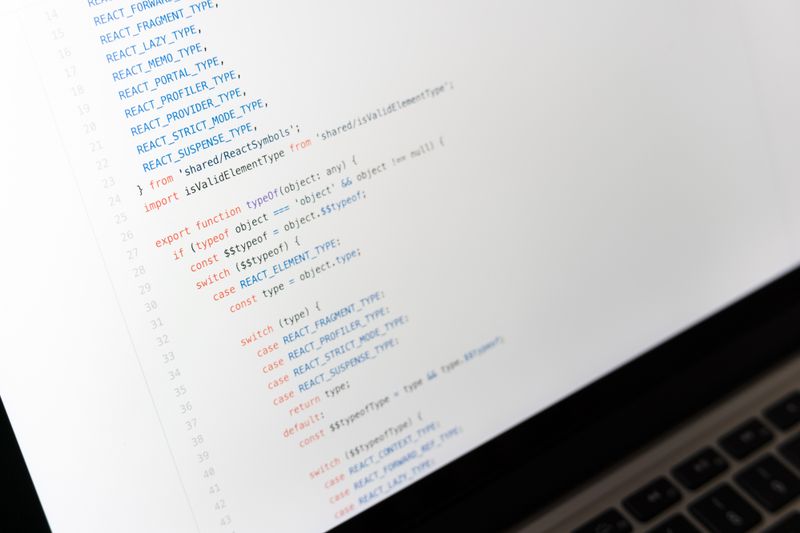
The ThinkPad X1 Carbon Gen 12 is often cited by professional developers as having the best keyboard in the laptop market. For a programming student, the 1.5mm of key travel and tactile response can significantly reduce typing fatigue during long coding marathons. The Gen 12 model continues the tradition of using carbon fiber and magnesium, resulting in a laptop that is incredibly light but meets military-grade durability standards.
Internally, it features Intel Core Ultra processors and can be configured with up to 64GB of RAM, which is more than enough for any academic programming project. Lenovo has a long history of excellent driver support for Linux, and many models are sold with Linux pre-installed or certified. The port selection is also superior to most ultraportables, featuring two Thunderbolt 4 ports, two USB-A ports, and an HDMI port, allowing for easy connection to lab monitors and keyboards.
Best for: Students who prioritize keyboard quality, durability, and a robust selection of ports without carrying a heavy machine.
Skip if: You require a high-end dedicated GPU for gaming or intensive 3D graphics work.
ASUS ROG Zephyrus G14 (2024)

While marketed as a gaming laptop, the ASUS ROG Zephyrus G14 (2024) has become a staple in computer science departments, particularly for those focusing on game development, machine learning, or artificial intelligence. These fields require a dedicated NVIDIA GeForce RTX GPU to utilize CUDA cores for parallel processing and high-end rendering. The 2024 model moved to a more professional, understated aluminum aesthetic that fits into a classroom environment better than traditional "gamer" designs.
The G14 features a stunning OLED display with high color accuracy and a fast refresh rate. Despite its power, it remains relatively light for a performance machine and offers respectable battery life when not using the dedicated GPU. The keyboard is comfortable, and the cooling system is sophisticated, though the fans can become audible under heavy compilation or rendering loads.
Best for: Game design, AI/Machine Learning research, and students who want one machine for both high-end development and gaming.
Skip if: You need a completely silent machine or if you do not require a dedicated graphics card for your specific area of study.
Framework Laptop 13 (Intel Core Ultra)

The Framework Laptop 13 is a unique recommendation for programming students who are interested in the hardware side of computing or who value the "right to repair." This laptop is fully modular, allowing students to swap out ports (using Expansion Cards), upgrade the RAM and storage, and even replace the motherboard in the future. This transparency aligns well with the ethos of many computer science programs.
The Intel Core Ultra version provides modern performance levels suitable for all standard programming tasks. The 3:2 aspect ratio of the screen is even taller than the 16:10 found on the XPS, providing maximum vertical space for code. While the build is not quite as refined as a MacBook or an XPS, the ability to fix or upgrade any component with a single included screwdriver makes it a highly practical long-term investment for a technically-minded student.
Best for: Students who want a modular, repairable machine and those who enjoy customizing their hardware interface.
Skip if: You want the thinnest possible device or if you prefer a more traditional, "set-it-and-forget-it" consumer product.
What to Look For
- RAM (Memory): This is the most critical spec for a programmer. While 8GB can technically run a text editor, 16GB is the practical minimum for a computer science student. If you plan to run virtual machines, large databases, or heavy IDEs like IntelliJ IDEA, 32GB is a worthwhile upgrade to ensure the system remains responsive.
- Processor (CPU): Look for high multi-core performance. Compiling code is a CPU-intensive task that can be distributed across multiple cores. For Intel, look for Core Ultra 5 or 7; for AMD, Ryzen 7 or 9; and for Apple, the M3 series or higher.
- Keyboard and Trackpad: You will spend thousands of hours interacting with these. Look for a keyboard with sufficient travel (at least 1.2mm to 1.5mm) and a layout that doesn't cramp the arrow keys or the symbols used frequently in coding (brackets, braces, and semicolons).
- Display Aspect Ratio: A 16:10 or 3:2 aspect ratio is superior to 16:9 for programming. The extra vertical space allows you to see more lines of code simultaneously, reducing the amount of scrolling required and helping you maintain your mental model of the program.
- Operating System: Your choice should align with your career goals. If you want to develop for iOS or macOS, a MacBook is mandatory. If you are interested in Windows-specific enterprise software or game development with DirectX, a Windows machine is better. For systems programming or DevOps, a machine with strong Linux support is ideal.
- Battery Life: Programming can be power-intensive. Look for a laptop that can provide at least 8 to 10 hours of real-world use so you aren't tethered to a wall outlet during long lectures or group project sessions.
Bottom Line
For the majority of programming students, the MacBook Air (M3) with 16GB of RAM offers the best combination of performance, battery life, and a developer-friendly OS. Those who prefer Windows or need to run Linux natively should look toward the Lenovo ThinkPad X1 Carbon for its legendary keyboard or the Dell XPS 13 for its portability. If your studies involve specialized fields like AI or game development, the ASUS ROG Zephyrus G14 provides the necessary GPU power in a portable chassis. Finally, the Framework Laptop 13 is the ideal choice for those who want a machine that is as open and customizable as the software they write.
Where to buy
Prices change often, so check the current deal before you buy.
Links go to Amazon. As an Amazon Associate we earn from qualifying purchases.